
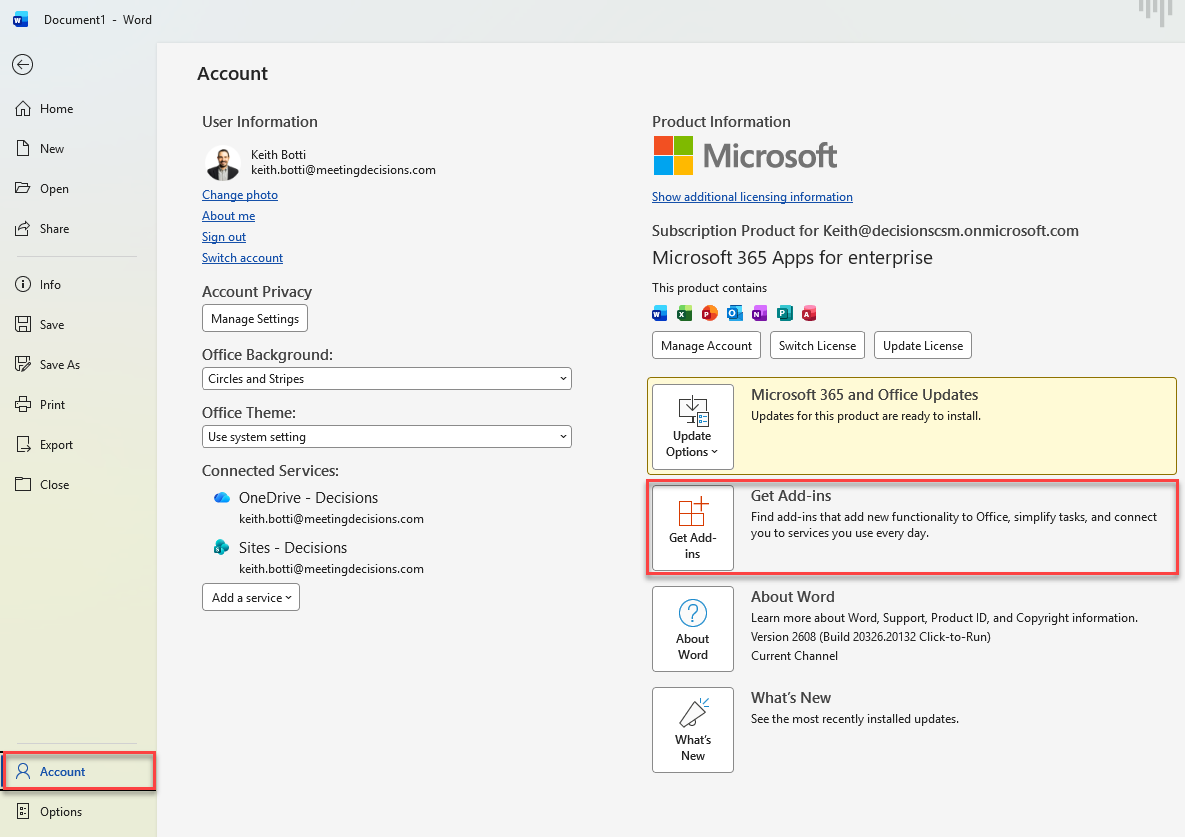
- Open Word and navigate to your account by clicking on File, then click "Get Add-ins"
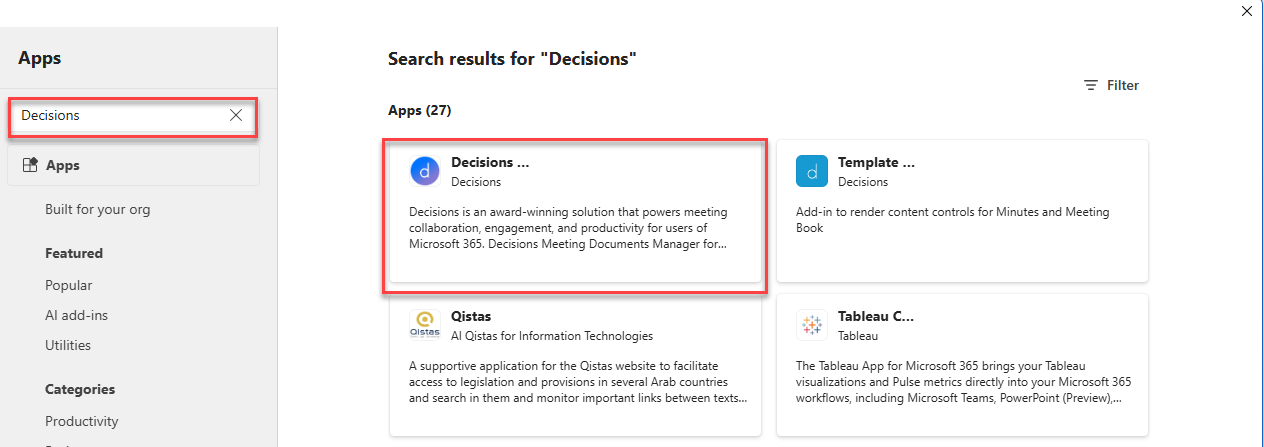
- Search for Decisions within the search bar under Apps, then click on the Decisions tile
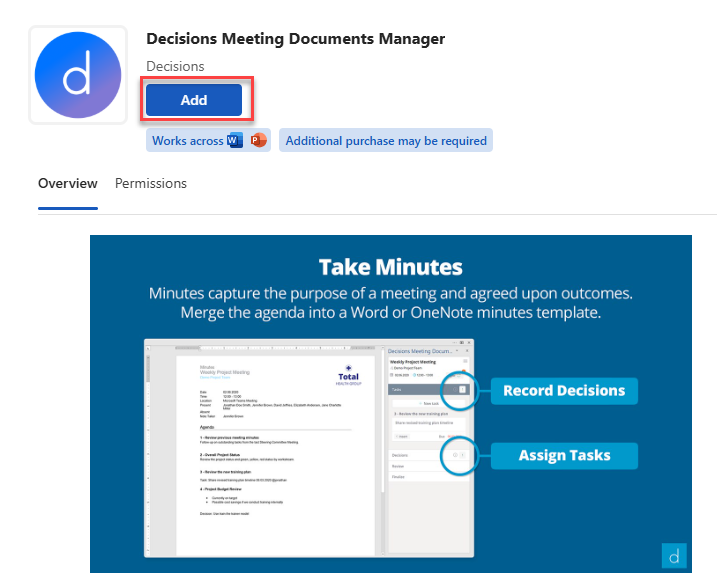
- Click "Add" to add the Meeting Documents Manager to both Word and PowerPoint
NOTE: You will only be able to create meeting minutes or the meeting book by launching them from Decisions rather than from the Word or PowerPoint applications directly
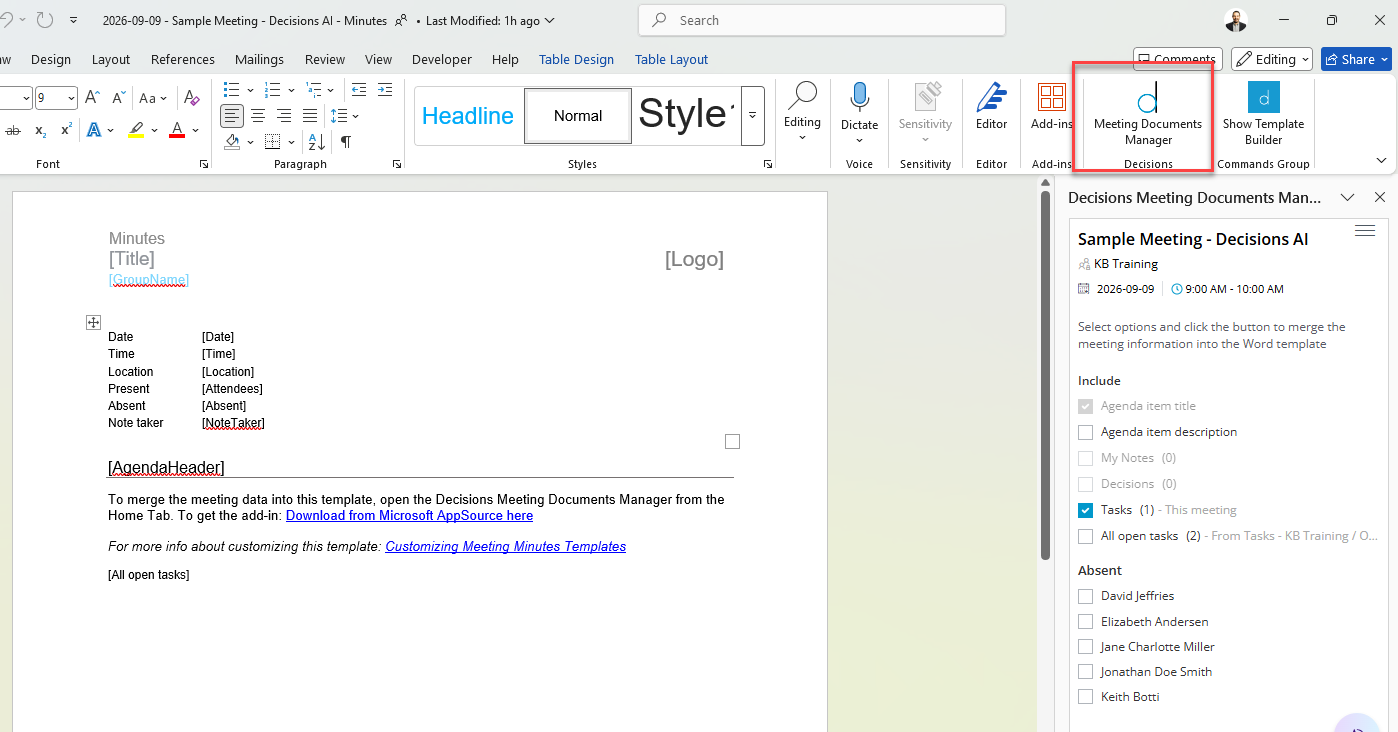
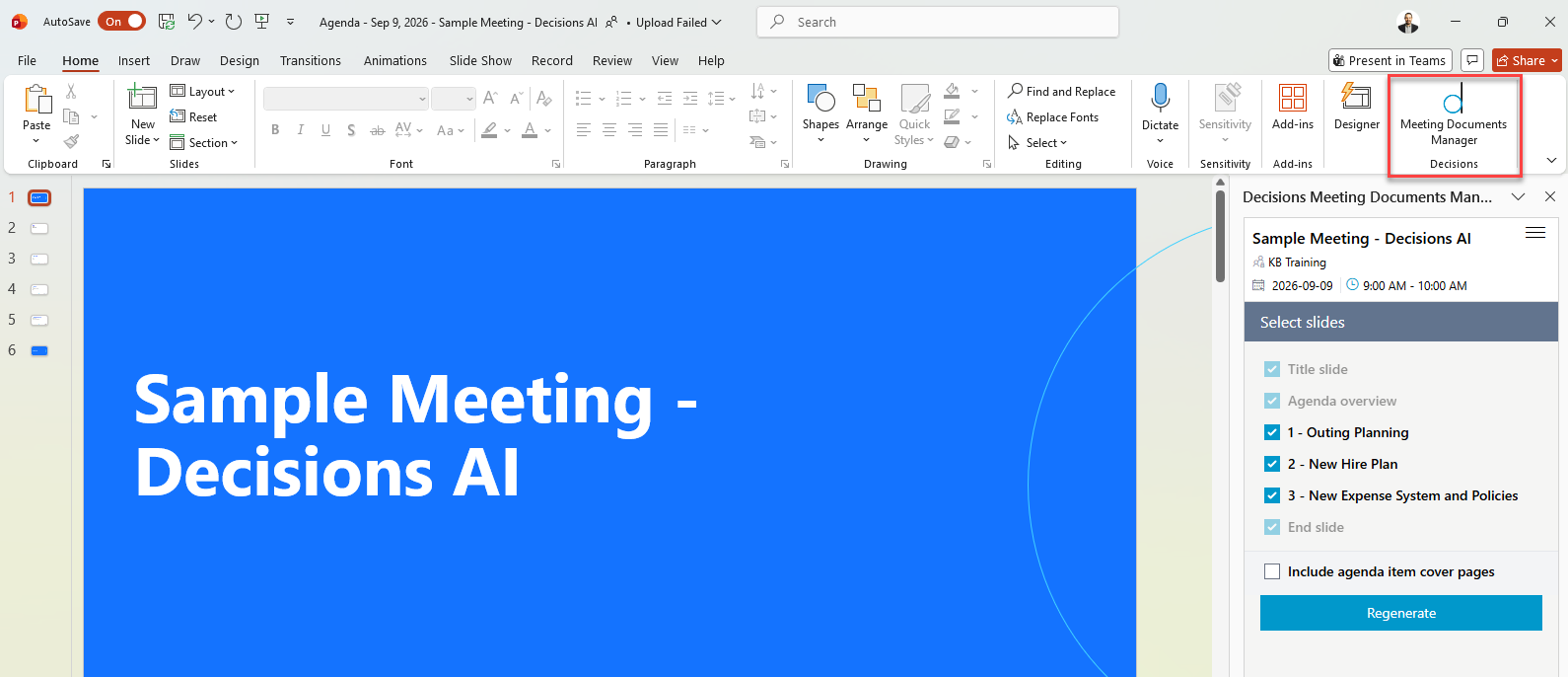
- The "Meeting Documents Manager" should now be visible in the top panel of Word and PowerPoint
Questions? Please contact support@meetingdecisions.com