
When creating tasks or backlogging agenda items within Decisions, a new planner board may be created to house those tasks or agenda items. These settings can be later modified by changing the storage location within the Team settings in Decisions.
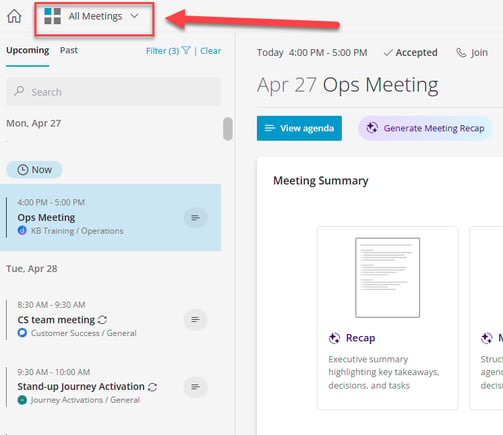
In order to locate the configuration, select the 'All Meetings' drop down from the meeting dashboard and select the team for which you would like to modify the Planner plan integration.
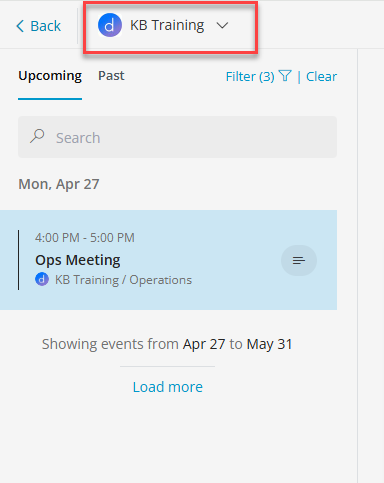
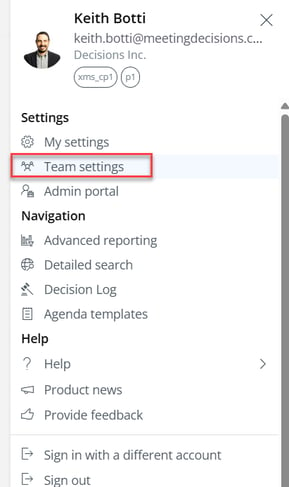
Once the desired Team has been selected open the main menu from the upper right corner and click on "Team settings"
From there, select 'Planner Config' in the team settings then select the channel within that Team whose tasks or backlogged agenda items must be updated.
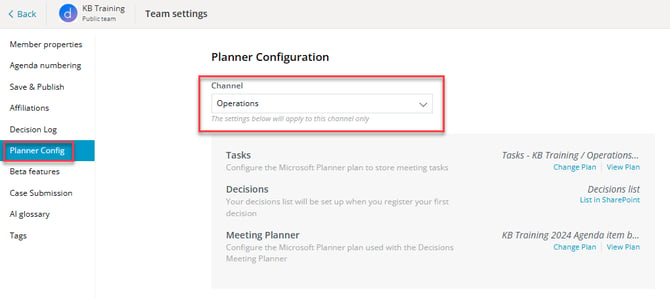
The Planner plan currently connected for Tasks and the Meeting Planner can be viewed or changed. A new plan can also be created.
Tip: In January 2025 Decisions upgraded our Decisions log where logged decisions are now stored in SharePoint lists rather than a Planner plan. Learn more at: Decision Log 2.0