
The Decisions™ Desktop App helps you simplify your meeting workflow by bringing all Decisions features straight to your desktop. You’ll enjoy faster access, a cleaner workspace, and the ability to launch Decisions without opening a browser first.
🚀 Why use the Desktop App?
-
Instant access: Open Decisions from your desktop in one click.
-
Distraction-free: Run Decisions in its own window, separate from your browser.
-
Full functionality: Use all the same features you love in Microsoft Teams and the web app.
📥 How to Install the Decisions™ Desktop App
-
Open the installation link:
Click here to install the Desktop App -
Look for the install popup:
A blue box will appear with the Install Now button.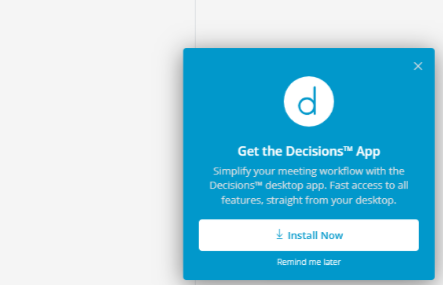
-
Click Install Now
-
The app will instantly install to your desktop.
-
You may be prompted by your browser to confirm the installation.
-
-
Launch from your desktop:
-
On Windows, find it in your Start Menu or desktop shortcuts.
-
On Mac, open it from Launchpad or your Applications folder.
-
💡 Optional: Pin the app for even faster access
-
Windows: Right-click the Decisions icon in your taskbar and select Pin to taskbar.
-
Mac: Right-click the Decisions icon in the Dock and choose Options > Keep in Dock.
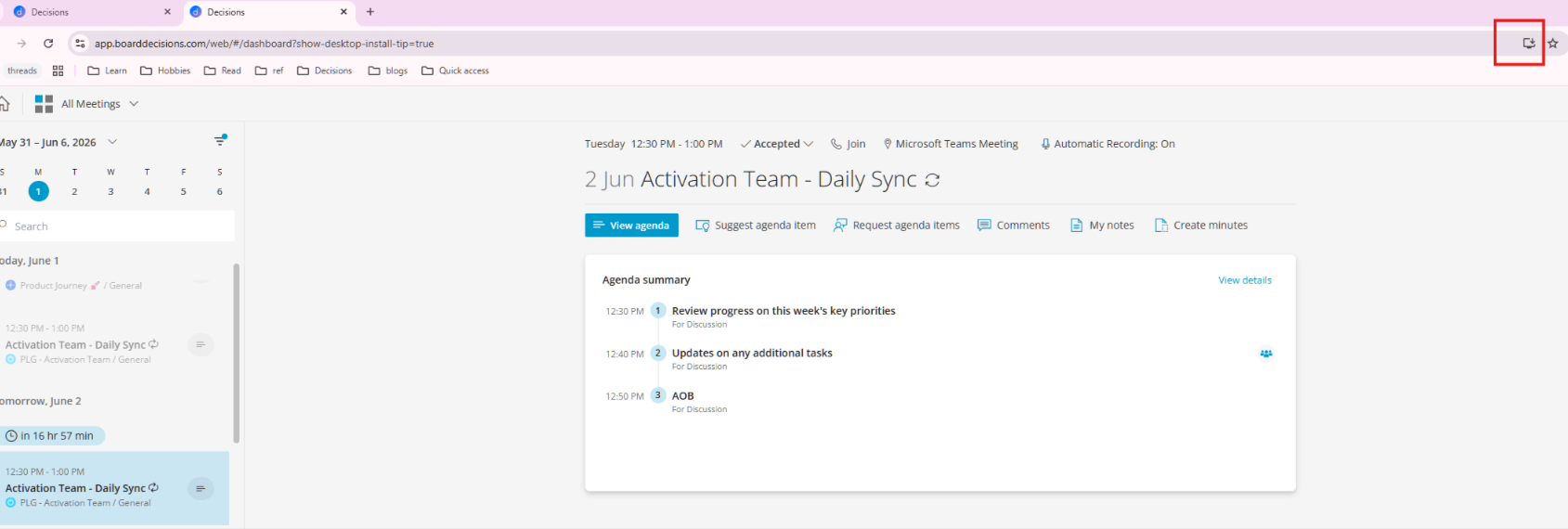
💡 Tip: If you don’t see the popup, look for an Install option on the right side of your browser’s address bar and follow the prompts:
✅ You’re ready to go! The Decisions Desktop App is now set up for faster, more focused meeting prep and follow-up.