
Decisions license overview
While Decisions offers multiple premium features that can be enabled at the Team or Tenant level, user licenses are applied for core functionality and AI functionality.
Core functionality for Decisions pertains to actions such as building and publishing agendas, logging decisions, assigning tasks, and launching and distributing meeting minutes manually.
AI functionality pertains to many of the above actions that can be executed with AI rather than manually. Meeting recaps are only generated with Decisions AI.
Confirming license type
Users can confirm their own license types by clicking the main menu in the upper right corner of the application, then clicking on "My settings":

Premium licenses
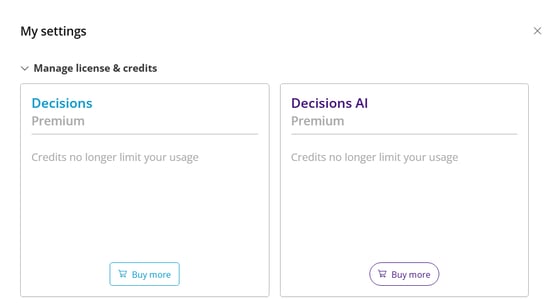
Whether for the Core platform or Decisions AI, users with Premium licenses will be denoted as "Premium":
Unlicensed or free-tier licenses
Whether for the Core platform or Decisions AI, users without a license or with a Free-tier license will be denoted with the remaining Credit balance for the current calendar month:
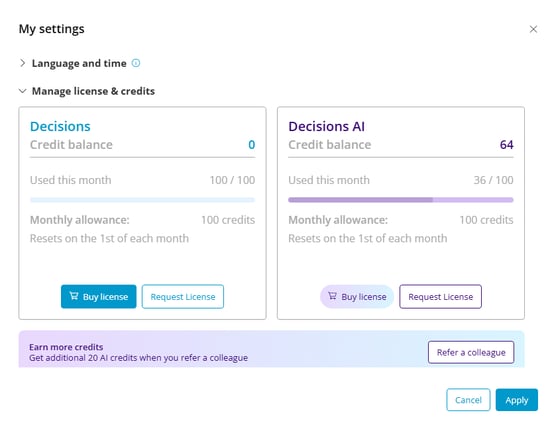 Credits, whether for Core or AI functionality, will automatically reload on the first day of the month, every month.
Users may have a Premium Core license without a Premium AI license
For more information on Credits, or assigning a Premium AI license, please see our additional articles: