
Storage location for agenda and meeting related content
Upon creating or saving an agenda for a meeting, Organizers, Outlook Delegates, and Agenda Delegates will be prompted to select a location within their M365 environment that will store the data for the meeting.
Teams Channel for Content Storage
The default view within the prompt, recommended for most meetings, will display teams and channels based on the user's membership in Teams with a search bar and collapsible view for easy channel selection:
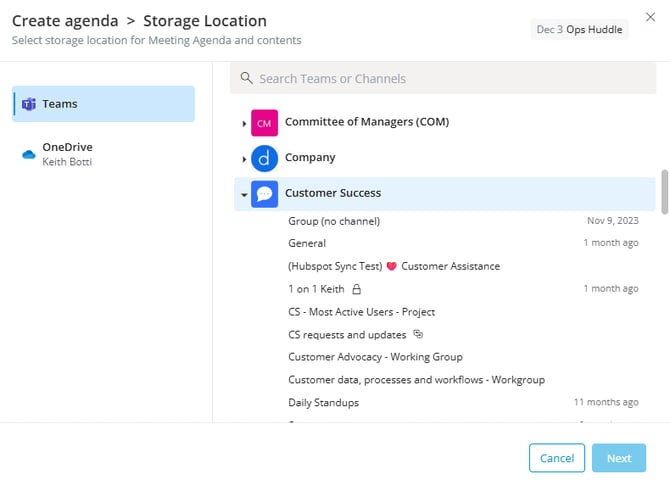
Selecting a Teams channel is typically recommended to ensure internal invitees have default access to the agenda and other user permissions based on their membership within the team/channel.
There are no feature restrictions for meetings tied to a standard channel in Teams and Decisions also supports utilizing private or shared channels in Teams as a storage location for meeting content.
Guest Attendees will still need to be granted access to the agenda in order to view the entire agenda.
For more information on meeting roles, see our article: Meeting Roles & User Permissions
OneDrive for Content Storage
The other option available is to store the meeting content in OneDrive. This is often best for ad-hoc or cross functional meetings where the majority of the invitees are not members of a particular team or channel in Teams. Meetings of a more sensitive nature may also be good candidates to have their content stored in OneDrive.
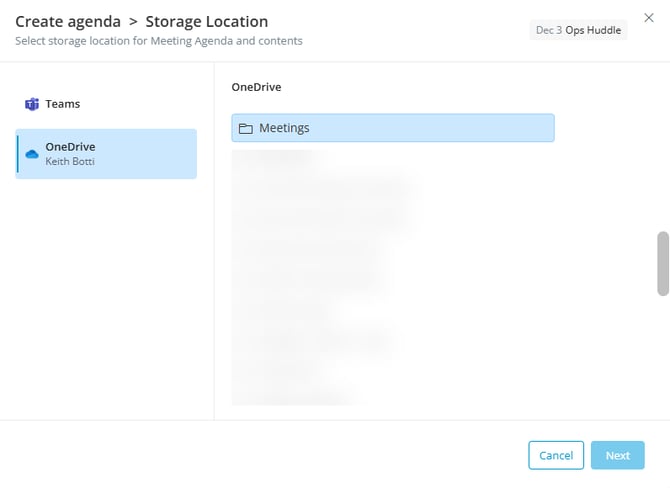
Decisions will always store the content of the meeting in the "Meetings" folder within the end user's OneDrive environment. Decisions will create the "Meetings" folder if it does not yet exist.
All additional attendees for OneDrive meetings (whether internal or external to the M365 tenant) will be recognized in Decisions as Guest Attendees and must have the agenda shared with them for full access.
Some Decisions features are not supported for meetings stored in OneDrive
-
Task creation, is only supported for meeting series